

Every report always at hand
HemoTrack keeps every report together with the original photo. The archive opens even without the internet.
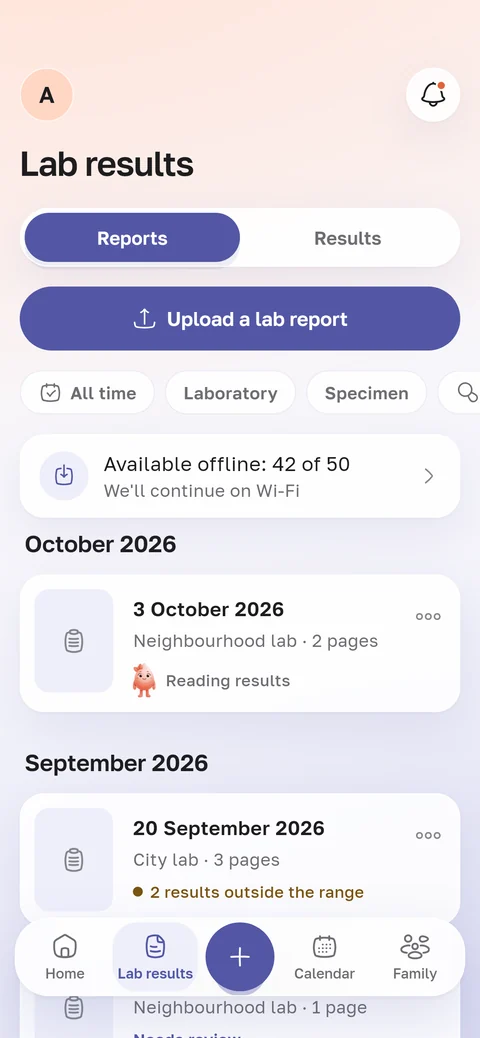
At the doctor’s, with no signal
The doctor asks what your ferritin was in spring. There’s no signal in the clinic. You open HemoTrack, and the report from 28 March is already on the screen.
Copies of the pages are kept in a protected folder of the app. By default they download over Wi-Fi, and you can allow mobile data in the settings.
Search and filters
Find a result
Start typing a name, for example “ferritin”. The app shows it with all its values.
Where a result was tested
The result filter keeps only the reports that include it.
Period and lab
You can keep reports from the last year or from one lab. There’s a filter by sample type too, for example urine tests only.
Values outside the range
One more filter shows only the reports where something is outside the lab’s range.
The original is always one tap away
Every explanation has an “Original report” link. It opens the pages just as you uploaded them.
Before the explanation you check the recognised lines. If a line went to the wrong result, you can pick the right one.
A new phone
Your results are stored in your account on the HemoTrack server.
On a new phone, install the app and sign in with your email: you’ll get a code, no password needed. The archive comes back by itself.